
ORVESTRA · WIKI
Players - playback and playlists
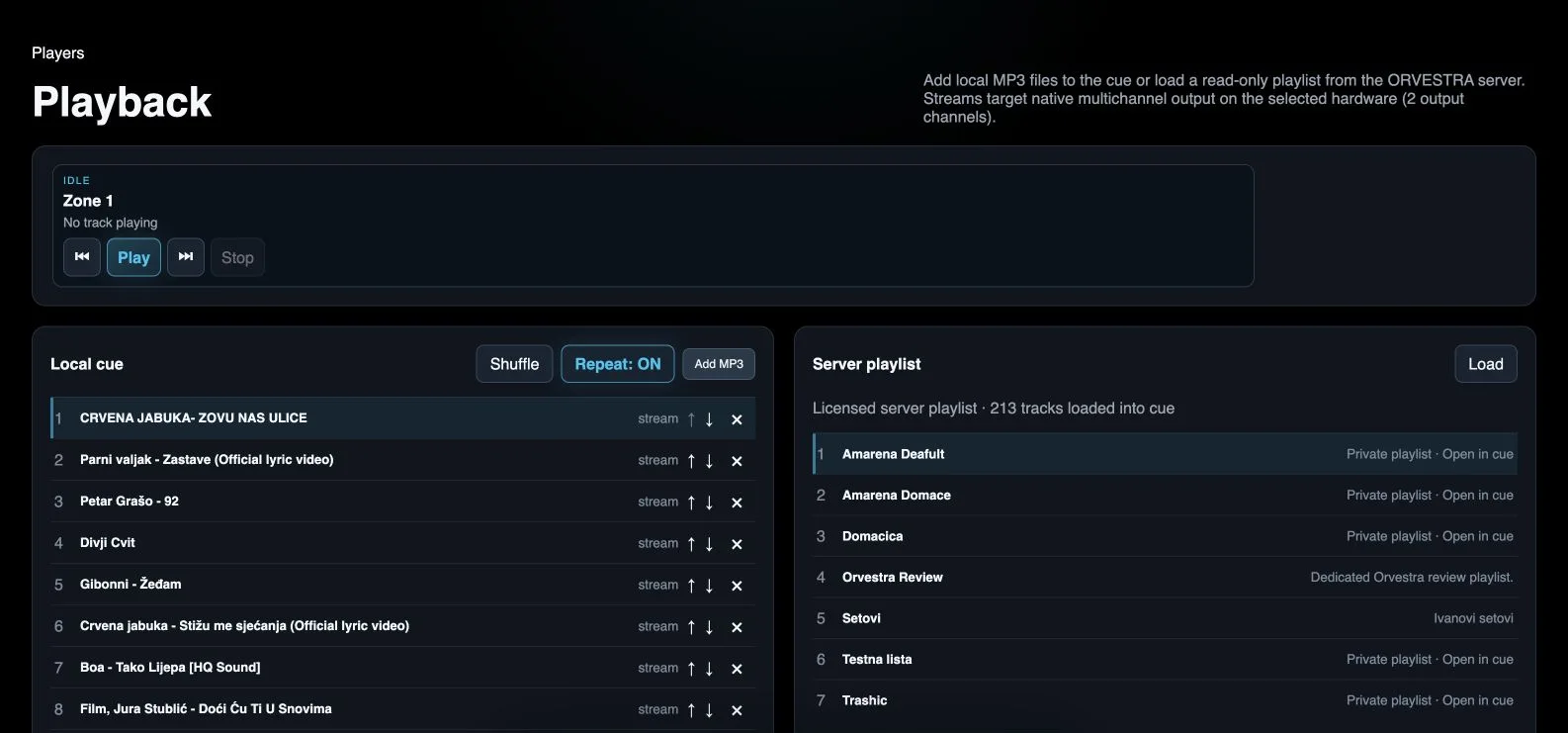
Previous track
The first press restarts the current track. Another press within 600 ms selects the previous cue item.
Play / Pause
Starts or pauses the selected player. A zone player is shown when its source is Player.
Next track
Advances the zone player to the next cue item.
Stop
Stops playback in the corresponding zone.
Shuffle
Randomizes cue order. The stored order is restored after a page refresh or returning to Players.
Repeat
Enables or disables cue repetition.
Local cue item
Selects a track for playback. Its number is its position in the current cue order.
Move item up
Moves a track one place toward the start of the cue.
Move item down
Moves a track one place toward the end of the cue.
Remove from cue
Removes the indicated item from the local cue; it does not delete server media.
Load server playlists
Fetches server playlists available to the current licence again.
Server playlist
Opens a licensed playlist in the cue. This GUI is for playback; the server playlist itself is edited in the portal.
Add MP3
Opens the local file picker and adds MP3 files to the cue.