
ORVESTRA · WIKI
DSP - EQ presets
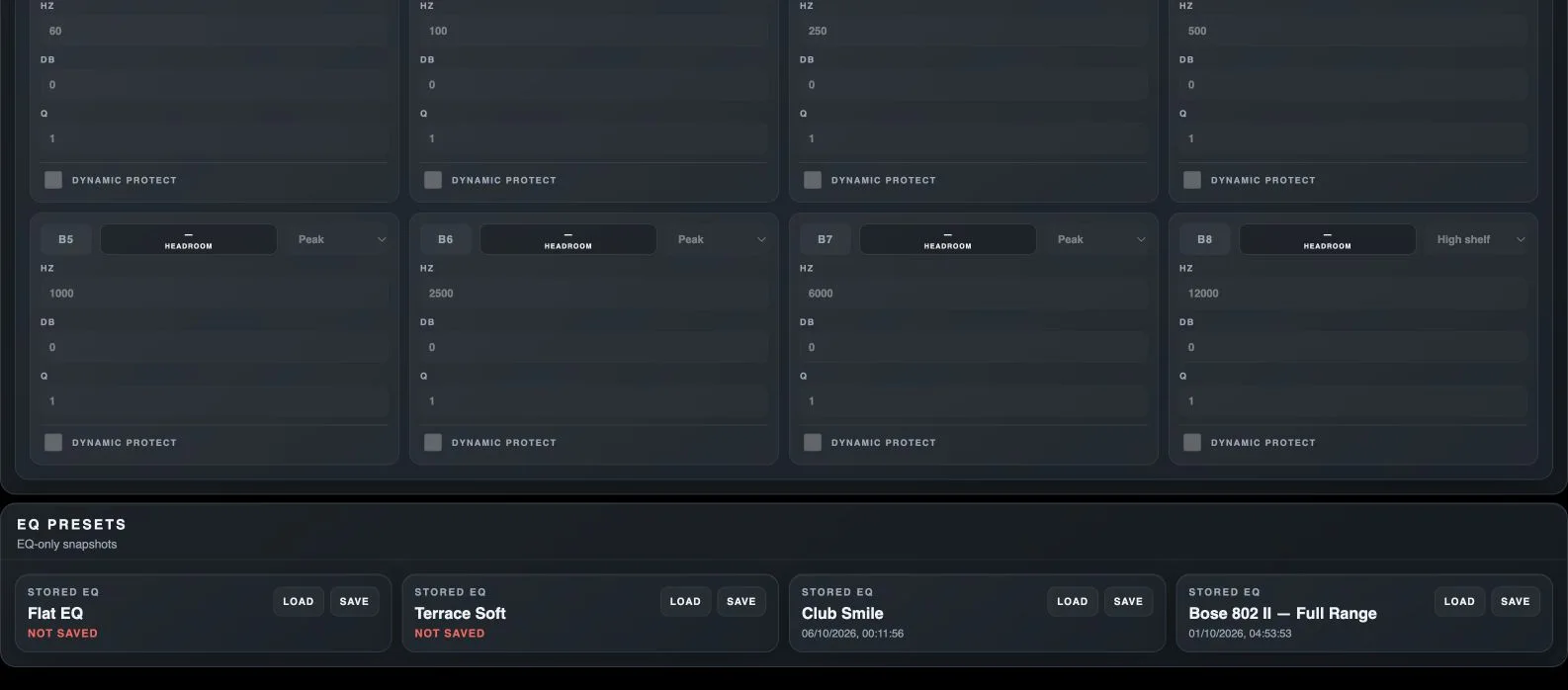
EQ frequency - Hz
Centre frequency for Peak, or the transition region of a shelving filter.
EQ gain - dB
Boosts or cuts the selected frequency region.
Q - bandwidth
Sets filter bandwidth. Higher Q produces a narrower region; lower Q produces a wider region.
Dynamic protect
Enables dynamic protection of a boosted EQ band as the signal approaches the target. Additional fields appear only when enabled.
B1-B8
Enables or bypasses the corresponding parametric EQ band. Each band has its own type, frequency, gain and Q.
EQ filter type
Peak affects the region around a centre frequency; Low shelf and High shelf affect the lower or upper part of the spectrum.
Load module preset
Loads the processor settings stored in this module slot, rather than a whole scene.
Save module preset
Stores the current module state in this slot, replacing its previous contents.