
ORVESTRA · WIKI
DSP - input compressor
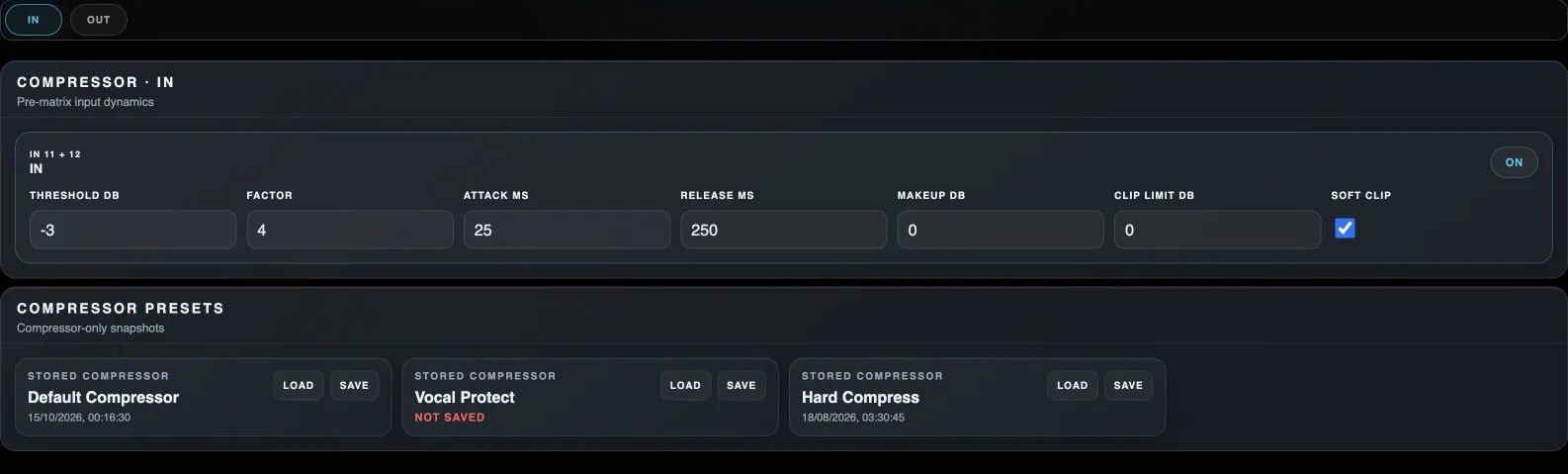
IN
Selects input processing before the routing matrix.
OUT
Selects physical-output processing after routing.
Processor On / Off
Enables or bypasses this processor on the indicated channel.
Threshold dB
Signal level above which the compressor reduces dynamics.
Factor
Compression ratio; a higher value reduces growth above the threshold more strongly.
Attack ms
Compressor reaction time when the signal rises above threshold.
Release ms
Time over which compression relaxes as the signal falls.
Makeup dB
Gain applied after compression to compensate for a reduced level.
Clip limit dB
Final compressor clipping limit.
Soft clip
Enables softer peak clipping in the corresponding processor.
Load module preset
Loads the processor settings stored in this module slot, rather than a whole scene.
Save module preset
Stores the current module state in this slot, replacing its previous contents.