
ORVESTRA · WIKI
Settings - storage, startup and PIN
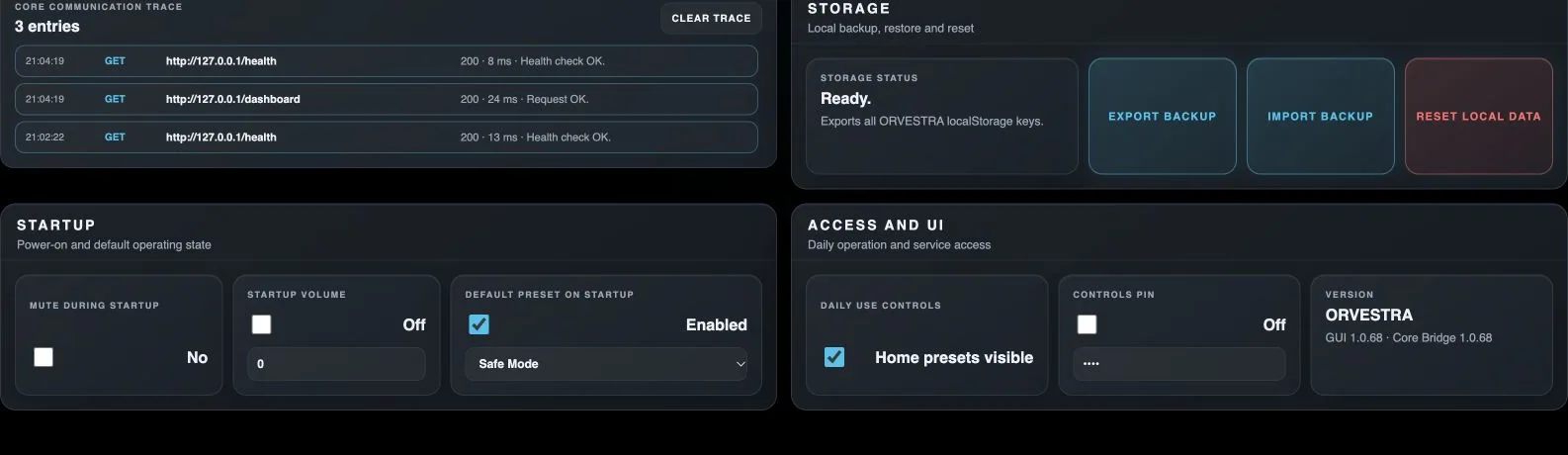
Clear trace
Clears the locally displayed Core communication trace.
Export backup
Exports JSON containing Core audio settings and browser-local settings.
Import backup
Restores audio and browser-local settings from a compatible backup.
Reset local data
Deletes local browser Orvestra data after confirmation and reloads the GUI.
Mute during startup
Determines whether the system starts muted.
Startup volume enabled
Determines whether a specified startup volume is applied.
Startup volume value
Master level to apply at startup when enabled.
Default preset on startup
Determines whether the selected performance preset is loaded at startup.
Startup preset selection
Chooses a named performance preset for the next startup.
Daily use controls
Shows or hides quick performance presets on Home.
Controls PIN
Requires a PIN to unlock local controls.
Control PIN
Sets the numeric PIN used to unlock local operation.