ORVESTRA · WIKI
IoT - device setup
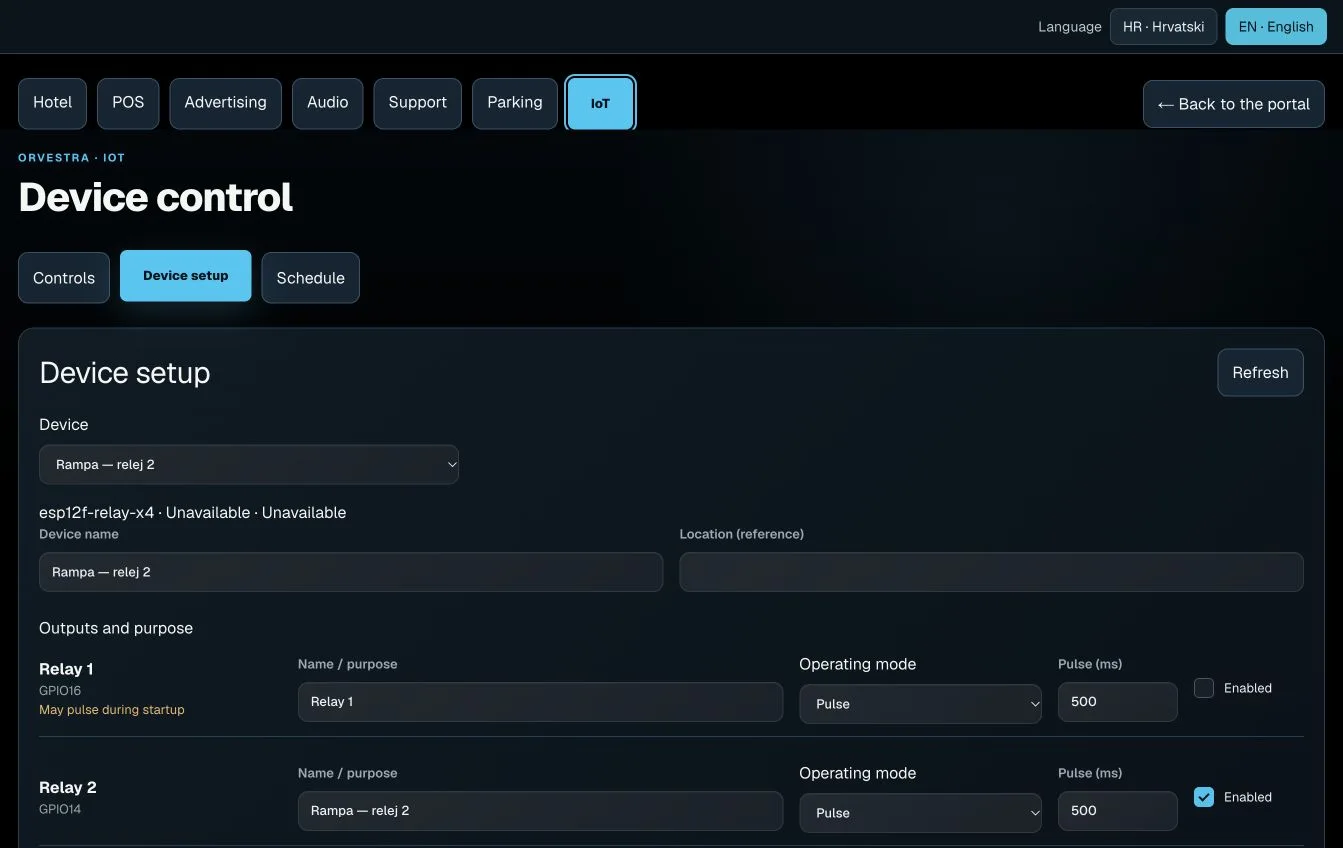
1. Select the device
Open IoT > Device setup and choose Device. Device name identifies the board. Location (reference) describes its installation position; it does not reassign the device to another venue.
2. Configure the outputs
For each relay, enter Name / purpose, select Operating mode: Pulse or Continuous ON/OFF, and select Enabled. Name / purpose becomes the control button label. In pulse mode, Pulse (ms) sets the duration: 500 ms is half a second. Relay count and GPIO labels follow the board profile; physical wiring must match the displayed mapping.
3. Save and check application
Select Save settings, then wait for Settings applied. Awaiting application means that the saved configuration has not yet been confirmed by the board. Discard changes restores the saved input. If another user changed the setup, review the new version before saving again. Changing enabled outputs, operating modes or power policy can set outputs to OFF; changing names alone does not.