
Orvestra

ORVESTRA · WIKI

Categories - position and adding
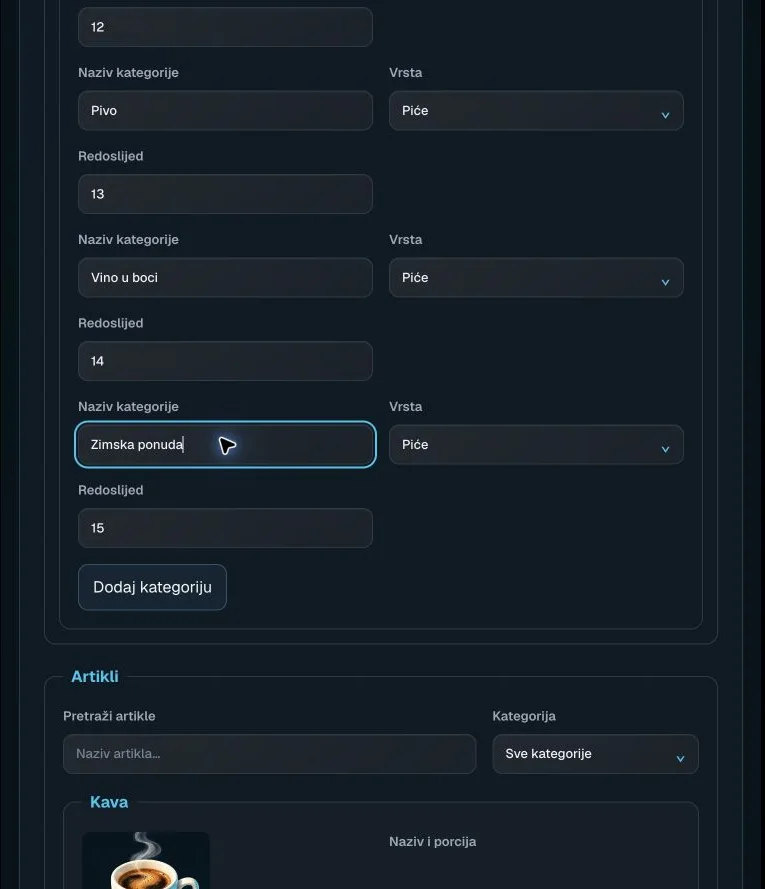
Categories - position and adding
Actual interface capture from the user guide.

Position

Sets the category position in the offering.

Integer from 0, step 1; lower numbers come first.

Category name

Name of the product group shown to guests.

Required, up to 200 characters. Changes remain a draft until saved and published.

Category type

Classifies the category by the type of offering.

Drinks / Food / Other.

Add category

Adds a blank category row to the local draft.

Enter a name, check type/position, then save and publish the catalogue.

Search products

Filters visible products by name.

Text search; clearing it restores the full view. Products are not deleted.

Category filter

Limits the product view to a single category.

All categories or an existing category.