
Orvestra

ORVESTRA · WIKI

Remote - pairings and recovery
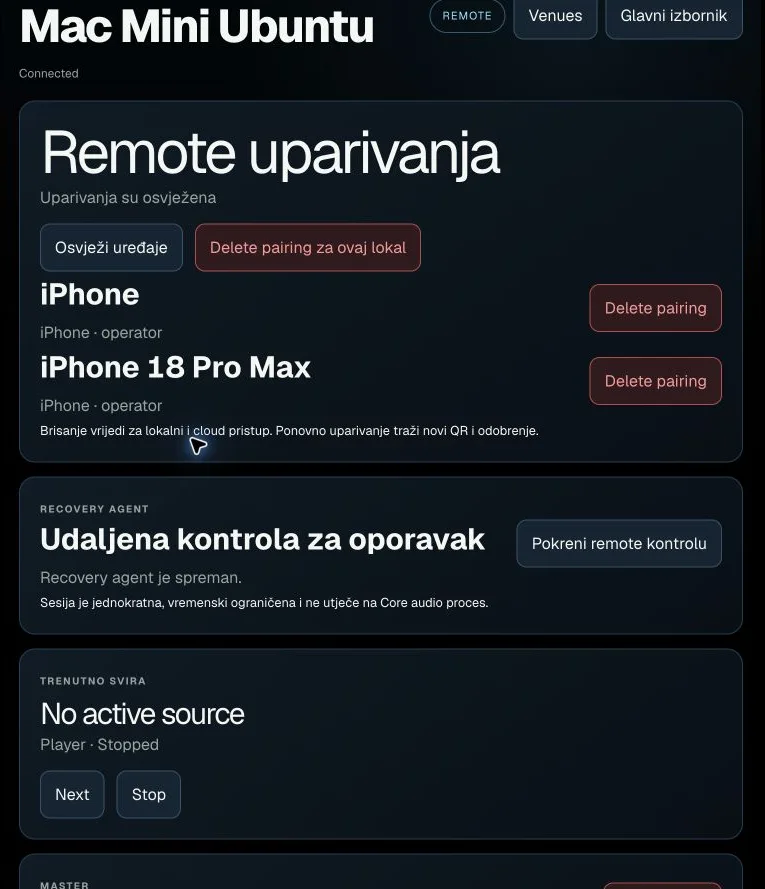
Remote - pairings and recovery
Actual interface capture from the user guide.

Refresh devices

Reloads the selected venue's device list.

Shows device name/platform and status or role.

Delete venue pairings

Deletes remote pairings for the selected venue.

Affects local and cloud access. Pairing again requires a new QR and approval.

Delete pairing

Deletes the specified device's remote pairing.

Does not change music playlists or the catalogue.

Start remote recovery

Requests a time-limited recovery session on the selected computer.

After success, Open VNC console and Stop session appear. Separate from the Core audio process.

Next

Sends the next-track command to the Core.

Immediately affects the active Player.

Stop

Stops the Player on the selected Core.

Immediately changes playback.