ORVESTRA · WIKI
Remote - playback and volume
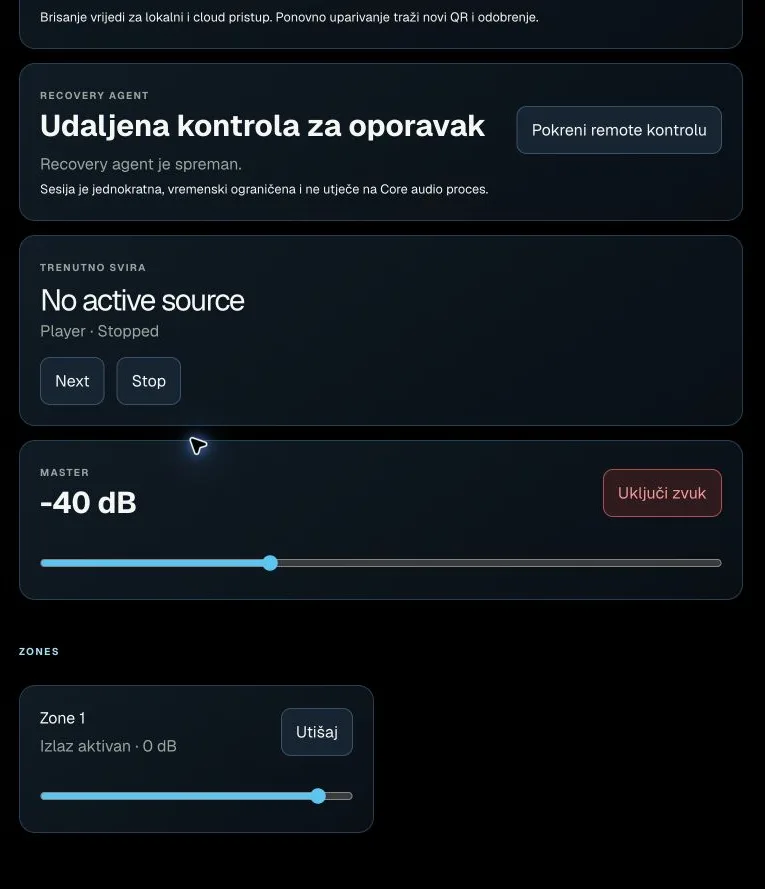 Actual interface capture from the user guide.
Start remote recovery
Requests a time-limited recovery session on the selected computer.
After success, Open VNC console and Stop session appear. Separate from the Core audio process.
Next
Sends the next-track command to the Core.
Immediately affects the active Player.
Stop
Stops the Player on the selected Core.
Immediately changes playback.
Mute / Unmute
Toggles mute for the master or the corresponding zone.
Mute silences it; Unmute restores it. Applies to the card containing the button.
Master volume
Overall volume of the selected Core.
-60 to 0 dB, 1 dB steps; the command is sent when the drag ends.
Zone volume
Volume of the output shown on the zone card.
-60 to +6 dB, 1 dB steps; uses the zone name received from the Core.
