
Orvestra

ORVESTRA · WIKI

Music - upload and library
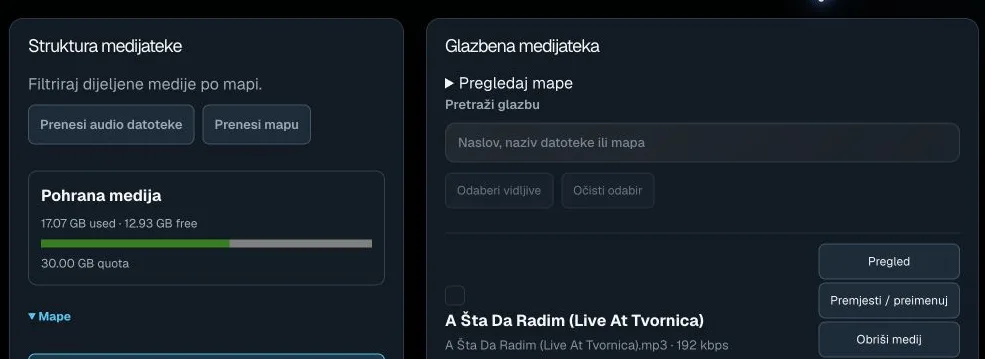
Music - upload and library
Actual interface capture from the user guide.

Upload audio files

Uploads selected audio files to the library.

Multiple files; audio formats include MP3, M4A, OGG, AAC, WAV and FLAC. Uses storage quota.

Upload folder

Uploads audio files from the selected folder.

Check contents and free storage quota before uploading.

Folders / Browse folders

Expands or collapses library folder browsing.

Navigation only; expanding does not move files.

Search music

Searches media by title, filename or folder.

Text filter; does not change the library.

Select visible

Selects available tracks in the current filtered view.

Choose a playlist first to work with its content.

Clear selection

Clears locally selected items.

Does not delete media or saved assignments.

Select track

Marks a track for adding to the selected playlist.

Already-added tracks, or a view without a selected playlist, may be disabled.

Preview / Listen

Opens a browser audio preview of a track.

Audio controls are local; this is not a Core Player command.

Move / rename

Opens filename and folder path editing.

The button itself does not save; confirm in the opened editor.

Delete media

Starts deletion of the selected server media asset.

Affects the library, not just the current playlist.