
ORVESTRA · WIKI
Assignments - by playlist
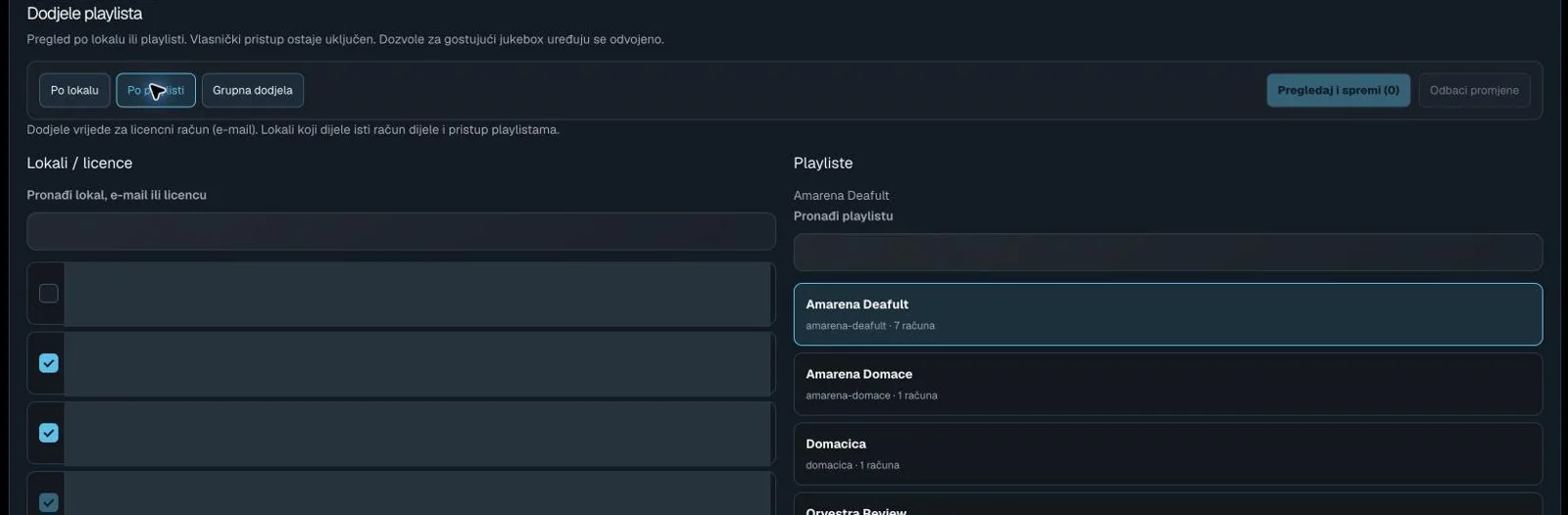
By venue
Shows accounts/venues and their available playlists.
By playlist
Shows a playlist and the accounts allowed to access it.
Bulk assignment
Opens multi-account and multi-playlist selection for a shared action.
Review and save
Opens the staged assignment changes for review. The number is the change count.
Discard changes
Discards unsaved assignment changes.
Find venue, email or licence
Filters accounts/venues in the assignment view.
Account / venue
In By venue, loads account access; in bulk mode, selects an account.
Find playlist
Filters the playlist assignment list.
Playlist assignment item
Selects a playlist or stages its access checkbox.