
Orvestra

ORVESTRA · WIKI

Display - media library
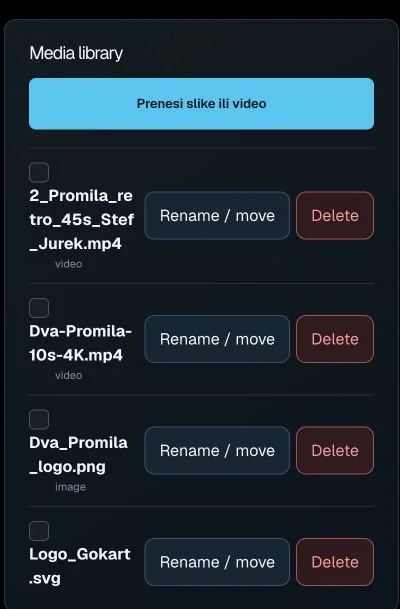
Display - media library
Actual interface capture from the user guide.

Upload images or video

Uploads images or video adverts to the display media library.

Multiple image/video files; upload starts when files are chosen.

Select media asset

Selects an asset for adding to an advertising playlist.

Multiple selection; then use Add selected media in the editor.

Preview media

Opens an image or video preview in the right panel.

Previewing is not assignment to a production display.

Move / rename

Opens filename and folder path editing.

The button itself does not save; confirm in the opened editor.

Delete media

Starts deletion of the selected server media asset.

Affects the library, not just the current playlist.