
ORVESTRA · WIKI
Display - media filename and folder
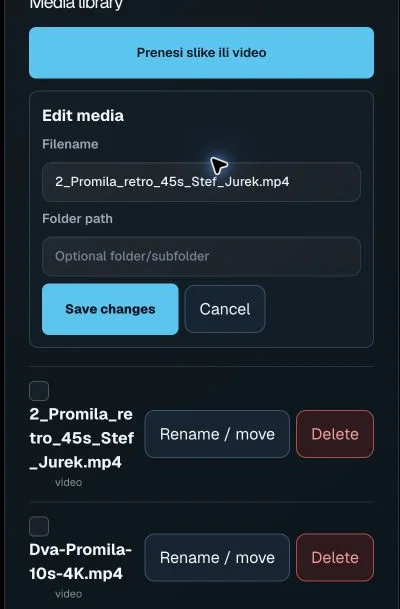
Upload images or video
Uploads images or video adverts to the display media library.
Filename
Filename of the selected advertising asset.
Folder path
Folder used to organise the media asset.
Save changes
Saves filename and folder changes for an advertising asset.
Cancel
Closes media editing without saving.
Select media asset
Selects an asset for adding to an advertising playlist.
Preview media
Opens an image or video preview in the right panel.
Move / rename
Opens filename and folder path editing.
Delete media
Starts deletion of the selected server media asset.