
ORVESTRA · WIKI
Display - playlists and assignment
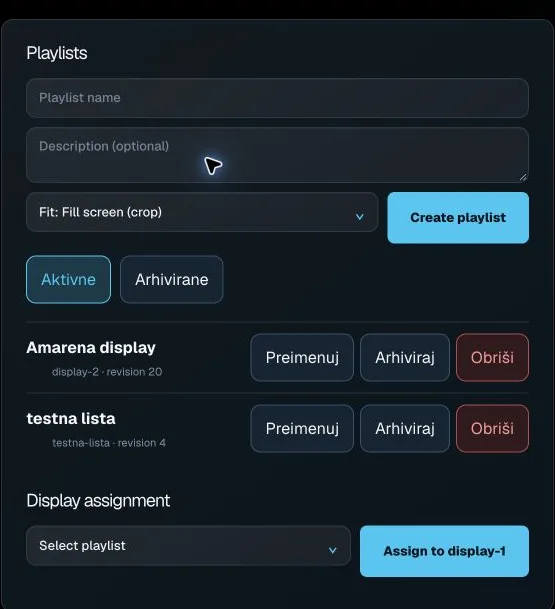
Playlist name
Name of the new or currently edited advertising playlist.
Description
Additional playlist description.
Default display fit
Default image/video fitting mode for the playlist.
Create playlist
Creates a new advertising playlist from the form.
Active
Shows active advertising playlists.
Archived
Shows archived advertising playlists.
Open advertising playlist
Loads its saved content, ticker and order into the editor.
Rename
Starts renaming an advertising playlist.
Archive
Moves a playlist from the active list to the archived list.
Delete playlist
Starts permanent deletion of the advertising playlist.
Playlist for display
Selects an active playlist to assign to a display.
Assign to display-1
Saves the chosen playlist as the display-1 assignment.